Tech Insight: Navigating the Android Ecosystem—From Migration to Desktop Evolution

The landscape of mobile technology is perpetually fluid. Whilst Android remains the dominant platform globally, the allure of iOS is undeniable for many, prompting a steady stream of users to switch allegiances. However, as users contemplate migrating their data to Apple’s walled garden, Google is quietly laying the groundwork for a significant expansion of the Android environment onto desktop hardware. Below, we explore the definitive methods for transferring your digital life to an iPhone, alongside an analysis of Google’s latest, somewhat mysterious, software deployment.
Making the Switch: The Official Route
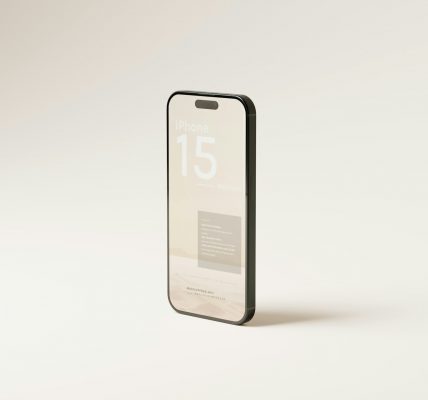
For those trading their Android handset for an iPhone, the primary concern is invariably data retention. Apple has recognised this friction and offers a bespoke utility, ‘Move to iOS’, available on the Google Play Store. Although the application has garnered a mixed reception regarding its user interface, it remains the most direct method for a comprehensive transfer, capable of migrating contacts, message history, photographs, and even mail accounts.
The procedure is designed to be relatively automated. Upon initialising the new iPhone, users must select the ‘Move Data from Android’ option during the Quick Start phase. This generates a unique pairing code. On the Android device, once the ‘Move to iOS’ app is launched and terms accepted, entering this code establishes a temporary, private Wi-Fi network between the two devices. From this juncture, one can select specific categories—crucially, contacts—to migrate. The system will even attempt to locate and download iOS equivalents of the free applications previously installed on the Android device.
Cloud Synchronisation and Manual Alternatives
Whilst the proprietary app is serviceable, many veteran users find leveraging Google’s own cloud infrastructure to be a more robust solution. This method relies on the existing synchronisation frameworks within the Android settings.
To ensure a seamless transition, one must verify that Google Sync is active. Within the ‘Settings’ menu under ‘Google services’, the ‘Backup’ and ‘Google Account data’ sections allow users to toggle ‘Contacts’ synchronisation. It is prudent to double-check the Contacts application itself, ensuring that ‘device and SIM contacts’ are also set to synchronise automatically. Once the data is secured in the cloud, the process on the iPhone is straightforward: navigate to the ‘Mail’ or ‘Contacts’ settings, add the Gmail account, and enable the contacts toggle. The entries should populate almost instantly.
For those who prefer to avoid cloud services entirely, the manual VCF method remains a reliable, if slightly archaic, option. By accessing the ‘Organise’ tab within the Android Contacts application, users can export their entire address book to a single .vcf file. This file can then be emailed to oneself or saved to a storage drive. Opening this file on the iPhone prompts the device to ‘Add All Contacts’, merging the data locally without third-party mediation.
Google’s Desktop Ambitions
While users wrestle with migration, Google appears to be silently opening a new front in the hardware war. A curious new application titled ‘Desktop Camera’ has recently surfaced in the Play Store. Its arrival suggests that the company is preparing to support a new class of device: the Android PC.
The application’s functionality, gleaned from the limited information and screenshots available, seems tailored for a desktop interface rather than a mobile one. The interface is notably sparse, lacking a traditional application window. Instead, it features a floating control overlay on the desktop, equipped with a shutter button for static images, a video toggle, and a stop button.
The ambiguity of the name ‘Desktop Camera’ has sparked debate regarding its precise utility. It is unclear whether this software is intended to control a physical webcam attached to a desktop unit or if it functions as a screen recording tool. The nomenclature is a departure from Google’s standard branding; notably, the mobile equivalent is simply styled ‘Pixel Camera’, not ‘Smartphone Camera’.
Currently, the application is incompatible with existing smartphones, tablets, or Chromebooks, reinforcing the theory that it is intended for a specific, yet-to-be-released hardware category. Industry observers expect this to debut on the first wave of Android PCs later this year. It is important to distinguish this project from ‘Aluminium OS’, the rumoured replacement for ChromeOS; the visual evidence suggests these are distinct initiatives. As Google refines this desktop experience, the line between mobile and desktop computing is set to blur further.